Your BYD, finally with a proper dashboard.
A free companion for the Shark 6 DiLink screen. Dashcam is video only, with no audio, from the cameras the head unit lets apps use. Sentry is Coming Soon and not priced. Made in Australia.
No account needed · Free forever · Free
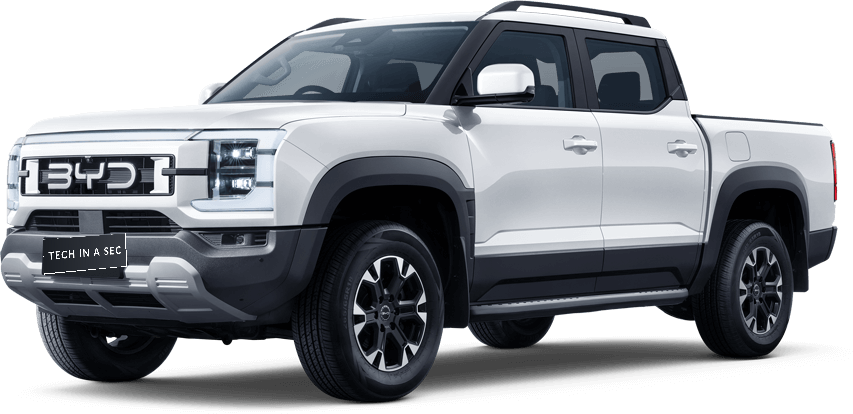
Built for the way you actually use your BYD.
Everyday tools that read the car and make the head unit quicker to live with. The public app does not write to driving, ECU, or safety systems. The free public story is Dashcam video only, with no audio. Sentry is Coming Soon and not priced. A parked-car pass of the public screens is still open.
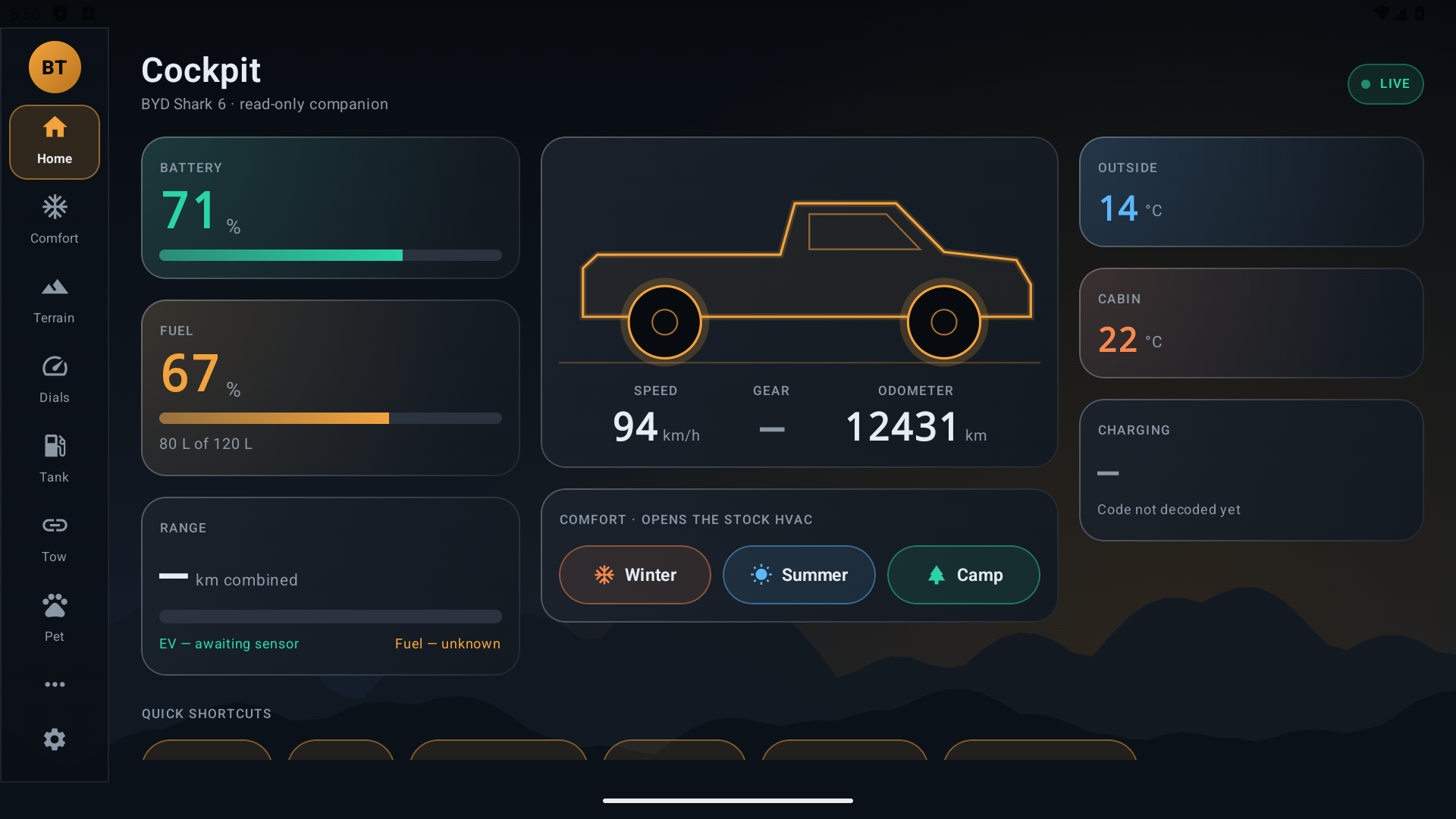
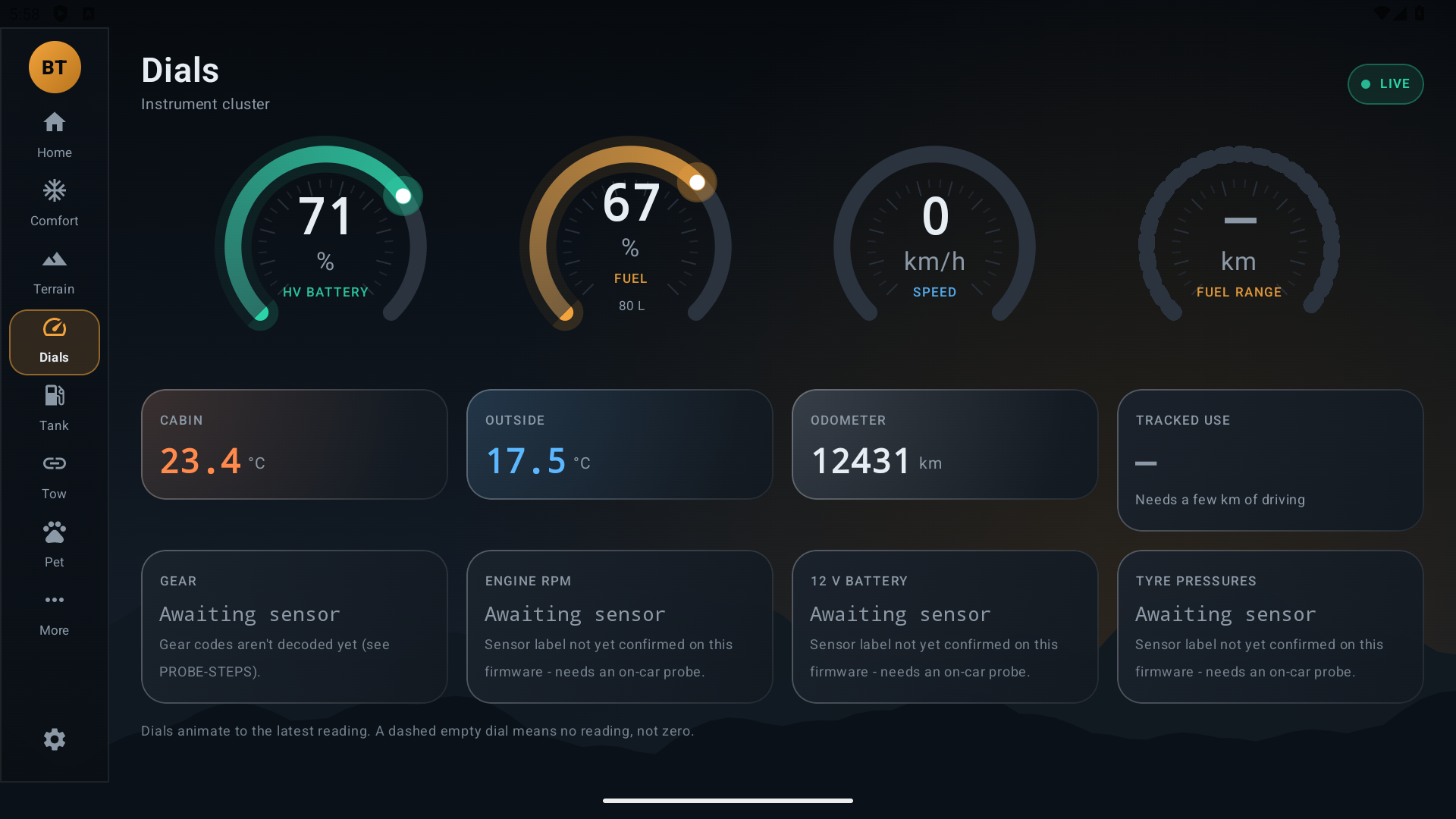
Cockpit
Speed and gear when the car reports them. Other readings wait for a parked-car check.
No guessed fuel
Fuel and range stay off the public story until a parked-car check marks them confirmed.
Settings guides
A guide to settings buried in DiLink. You change the setting. Safety settings stay yours to change.
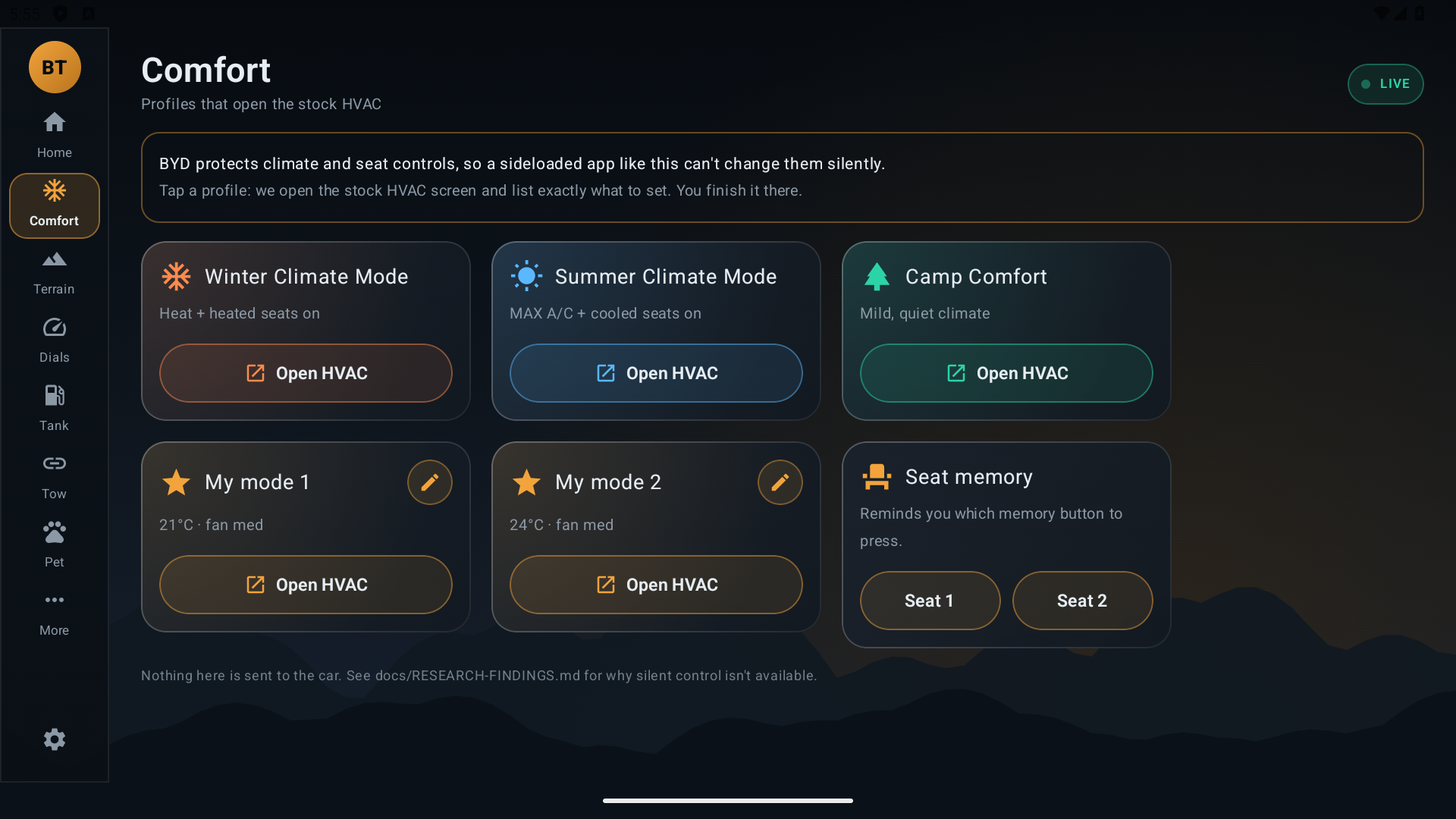
Seat & camp presets
Work and Camp start as app presets. Climate and seat changes stay guides you finish on the car's own screen.
Fridge Mode
A parked checklist for a 12V fridge, with a battery-watch heads-up. You stay in control of the car.
Trips & FBT export
Trip notes you can export. Fleet log books sit with Business & Fleet, which is outside this free release.
Clean, dark, made for the car screen.
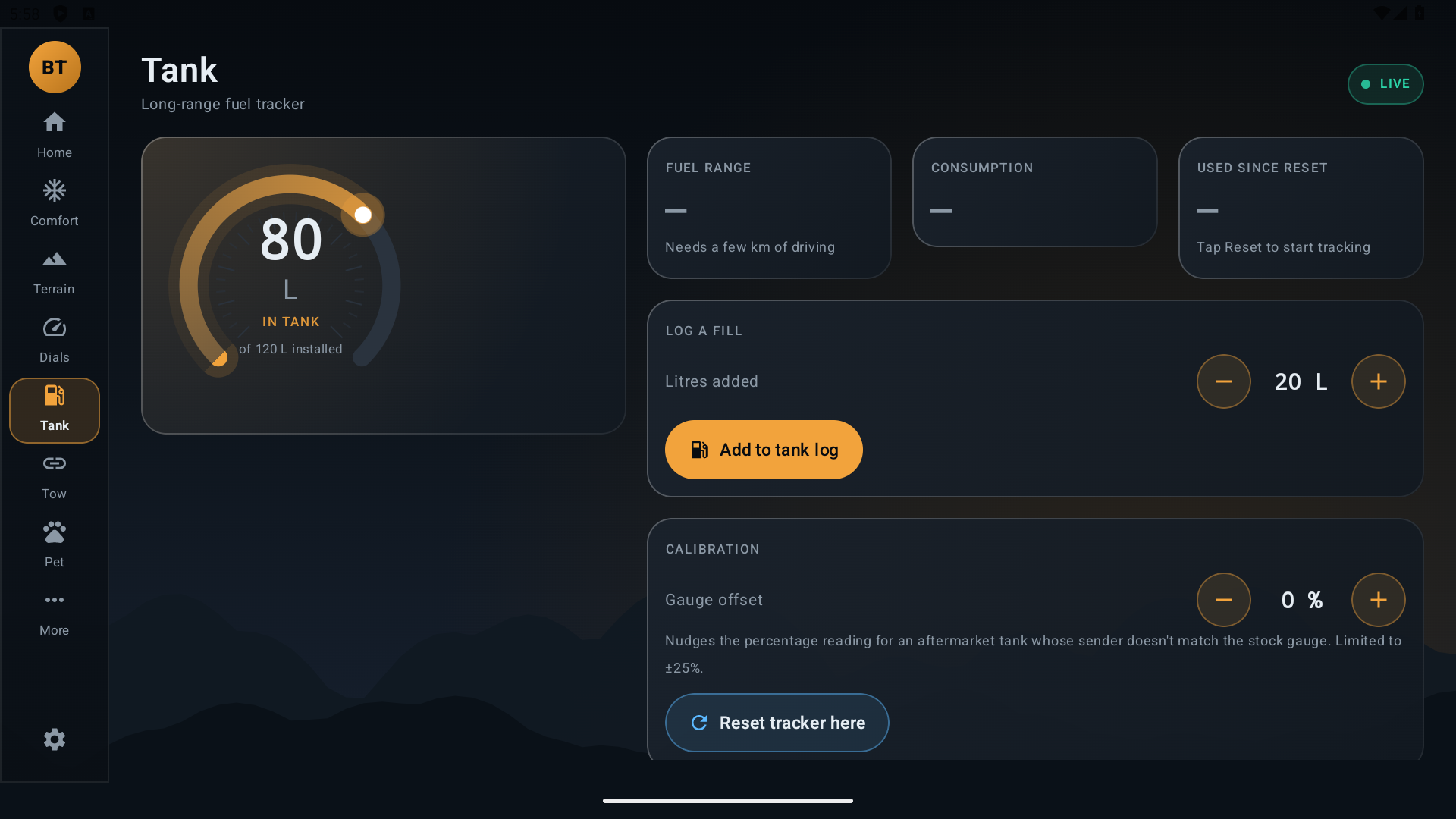
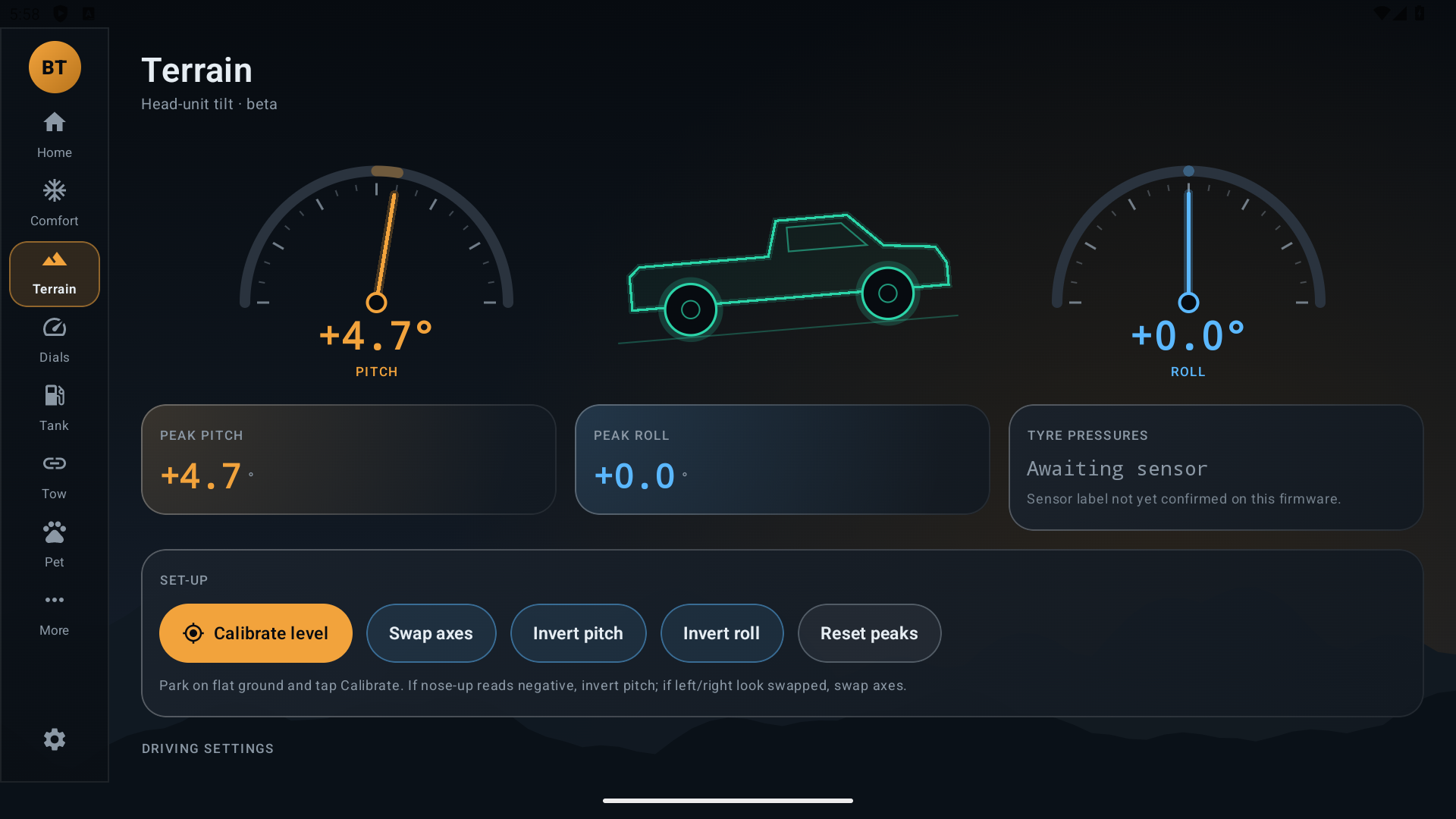
Pictures are from development builds. Dashcam in this free release is video only, with no audio. Sentry is Coming Soon and is not priced. These pictures are not a parked-car pass of the public app.
We made this for our own Sharks — then someone hit ours and drove off.
We're a small Australian tech team. We bought BYD Sharks, loved them, and started building the tools we wished the car came with. Then one of ours was hit in a car park and the driver took off, and we had nothing recorded. Dashcam is in this free release because of that: video only, with no audio, from the cameras the head unit lets apps use. Sentry, recording while parked, is Coming Soon. Neither is for sale at launch.
Our view: it's your car, so you should be able to set it up with the apps and features you choose. Get BYD Toolbox on now while it's quick and simple.

Your car, your call on updates.
Future BYD software updates have been said to remove installed apps and added features — potentially locking you out of tools like these. Holding on to your apps is your choice. A parked-car pass of the in-app update check is still open.
Updates can also include safety and security fixes. The choice stays with you.
Features your BYD should have — but doesn't.
Everyday things owners ask for that aren't in the car from the factory. BYD Toolbox adds them at the app layer, safely.
Dashcam
Video only, with no audio, from the cameras the head unit lets apps use. In this free release
Sentry mode
Parked recording is Coming Soon. It is not priced at launch. Coming Soon
Driver & passenger seat memory
A guide for driver and passenger seat positions. You finish it on the car's own screen.
Fridge mode
A parked checklist for a 12V fridge, with a battery-watch heads-up.
Camp mode
A camp checklist for overnight stays.
Settings shortcuts
A guide to settings buried in DiLink. Safety settings stay yours to change.
Trips & FBT log
Trip notes you can export. Automatic fleet log books are outside this free release.
Pet & tow helpers
Pet-mode sign, tow notes, terrain pitch/roll and tank tracking.
More on the way.
Dashcam
Video recording inside the app. No extra app to install, and no price at launch.
- Video only (no microphone)
- Uses the cameras the head unit lets apps use
- Sentry, parked recording, is Coming Soon and is not priced
Business & Fleet
For sole traders, trades and fleets that need the paperwork handled.
- FBT log books, done automatically
- Opt-in fleet tracking across vehicles
- Xero & QuickBooks exports
- Multi-vehicle & bulk provisioning for teams
TODO(Tim): purchase link is not defined. BUSINESS_UPGRADE_URL in the onboarding and billing note is still unset, and quote.techinasec.com.au does not resolve. This panel is not a checkout.
Latest version and update steps will appear here.
Released (Australia/Melbourne).
What changed
Update in the app
- 1Park, then open BYD Toolbox on the car's screen.
- 2Open Set-up and find Updates.
- 3Tap Check for updates. If a newer version is listed, tap Download, then Install.
- 4The first time, Android asks you to allow BYD Toolbox to install updates. Allow it, then confirm Install. Your existing data stays.
If the in-app update does not appear
Install again from the free install page, or from a computer with BTG Shark Setup. BTG Shark Setup checks the file before it installs. Do this while parked.
Get BYD Toolbox free.
On the car's browser, open bydsetup.tias.com.au. Enter an email or mobile there. The download appears on that page. Nothing is emailed, and a computer is only the fallback if the car blocks the browser.
- 1On the head unit, open the browser and go to bydsetup.tias.com.au.
- 2Enter your email or Australian mobile. The updates tick-box is optional.
- 3Tap Download and install. If asked, allow that browser to install apps, then tap Install.
Free. No account. Do it while parked, on the car's screen, not your phone.
Get it free → Onboarding assistanceTODO(Tim): paid onboarding has no URL in the docs. Assistance is the ticket link. The old setup page is not linked.
By continuing you agree to our Terms & Privacy Policy. Not affiliated with BYD. Licensing and ownership: My BTG.